
Acronis Cyber Protect
(با نام سابق Acronis True Image) برنامه ای است قدرتمند، حرفه ای و بسیار کاربردی که جهت حفاظت از سیستم ویندوز شما بسیار مفید می باشد . با نرم افزار Acronis Cyber Protect شما قادر هستید تا از تمام محتویات هارد خود و اطلاعات داخل آن شامل برنامه ها ، کلیپ ها ، ویدئوها ، نرم افزار ها و فایل های شخصی و … پشتیبانی کرده و نسخه Backup بگیرید . مهمترین ویژگی نرم افزار Acronis Cyber Protect این است که به شما این امکان را می دهد تا دیگر نیازی به اجرای مجدد برنامه نداشته و تنها با یک کلیک برنامه ی خود را بازیابی کنید . این برنامه به شدت به درد کسانی می خورد که سیستم آنها دائما دچار ویروس شده و تعداد دفعات ویندوز عوض کردن آنها زیاد می باشد . این نرم افزار از حالت زیپ و فایل های فشرده نیز پشتیبانی می کند و دارای سیستم Search Engine نیز می باشد.-
ویژگی های نرم افزار Acronis Cyber Protect
- – تهیه نسخه پشتیبان از دیسک در یک حافظه خارجی مثل انواع هارد اکسترنال و Acronis Cloud
- – پشتیبان گیری از پرونده در حافظه محلی و Acronis Cloud
- – شبیه سازی هارد دیسک
- – بایگانی اطلاعات ، از کل رایانه خود از جمله سیستم عامل ، برنامه ها و داده های خود
- – امکان بازیابی کلی یا جزئی فایل ها
- Overview of Acronis Cyber Protect Home Office Features
- Full image backups
- Active disk cloning
- All-in-one recovery drive
- Microsoft 365 backup
- File and folder backups
- File sync and share
- Dual Protection
- Cloud restores
- Non-stop backups
- Event-based backups
- Incremental and differential backups
- Resumable replications
- Quick backup validation
- Automatic mobile backups
- Version control
- WinPE media builder
- Virtual environment support
- Backup cleanup utility
- Memory card backup
- Anti-ransomware and cryptojacking protection
- Vulnerability assessments
- Real-time protection
- Web filtering
- On-demand antivirus scan
- Videoconference protection
- Quarantine and exclusions
- User-defined passwords
- End-to-end encryption
- Signature-based analysis
- Behavioral analysis engine
- Secure data centers
- Electronic signatures
- Blockchain notarization
- User-friendly cyber protection dashboard
- Flexible management
- Cloud storage upgrades
- Unlimited mobile devices
- Device flexibility
- Remote data management
- Back up on preferred Wi-Fi
- CPU load balancing
- Control backup-on-battery
- Try and Decide tool
- Tray notification center
- Windows Security Center
- Mobile backup review
- Dark mode for Mac
- Protection pause
به روز رسانی :
1400/10/20 نسخه [Acronis Cyber Protect Home Office Build 39703 [Bootable ISO اضافه شد.

گالری تصاویر :
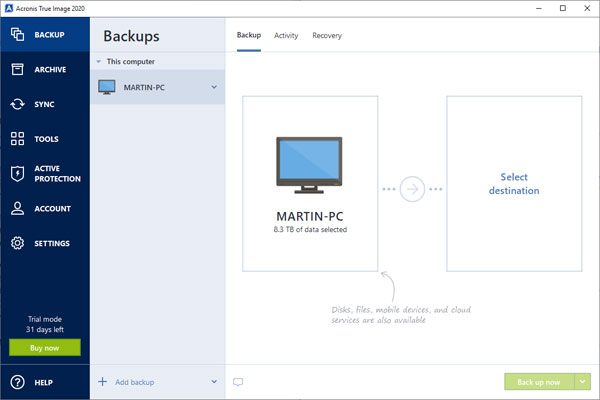
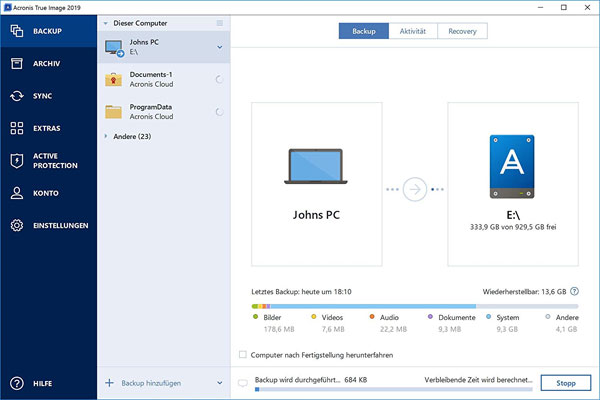
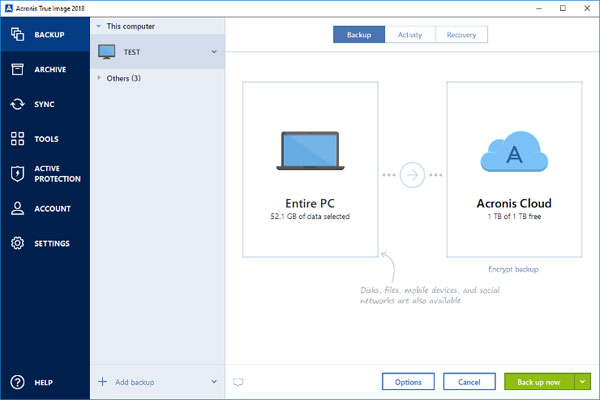
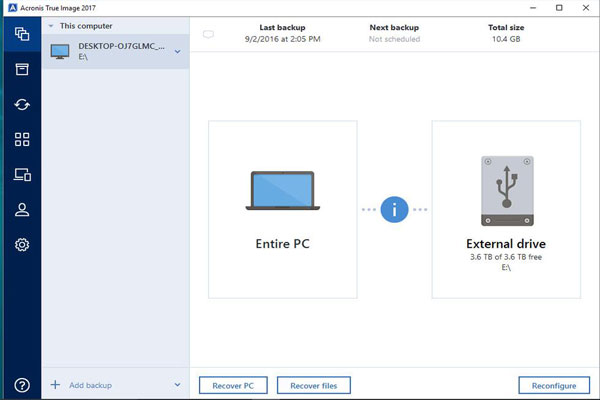
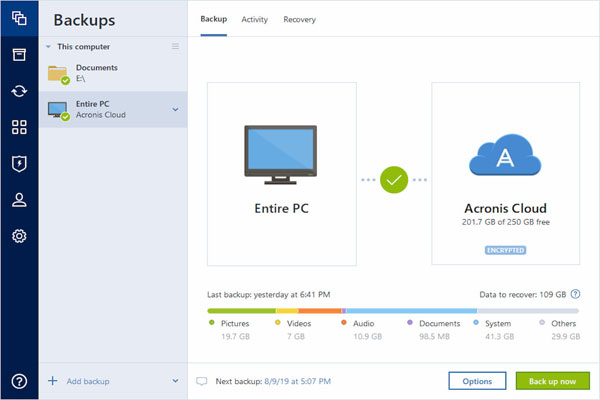
لینک دانلود
لینک های دانلود
رمز فایل فشرده : www.download.ir
رمز کپی شد!
نرم افزار Acronis Cyber Protect Home Office Build 39703
- - فایل دانلود شده را از حالت فشرده خارج کنید. (راهنما)
- - با کلیک بر روی Setup.exe نرم افزار را نصب کنید. دسترسی به اینترنت را قطع کنید.
- - به داخل پوشه Patch بروید و بر روی فایل Patch.exe کلیک راست کنید و Run as administrator را بزنید و در جواب سوالات Y را بزنید.
- - برای جلوگیری از غیرفعال شدن کرک، نرم افزار را در فایروال آنتی ویروس یا ویندوز قرار بدید.
- - نرم افزار را اجرا کنید.
- ** برای استفاده از نسخه iso می توانید همانند نصب ویندوز عمل کنید به این ترتیب که نرم افزار را بر روی یک فلش مموری با استفاده از نرم افزار RUFUS بریزید و آن را به دستگاه متصل کنید و دستگاه را روشن کنید و در هنگام بالا آمدن سیستم گزینه بوت بر روی فلش را انتخاب کنید.
-
Acronis Cyber Protect Home Office System requirements and supported media
- Minimum system requirements
- Intel CORE 2 Duo (2GHz) processor or equivalent
- The CPU must support SSE instructions
- 2GB RAM
- 7GB of free space on the system hard disk
- CD-RW/DVD-RW drive or USB drive for bootable media creation
- Required free space for Linux is about 660 MB
- Required free space for Windows is about 700 MB
- Screen resolution is 1024 x 768
- Mouse or other pointing device (recommended)
- Other requirements
- An internet connection is required for the product activation, for downloading protection updates, and for all features that use Acronis Cloud. If your computer is not connected to the internet, you can activate the product by using another computer that has an internet connection. Refer to Activating Acronis Cyber Protect Home Office for details
- You need to have administrator privileges to run Acronis Cyber Protect Home Office
- Supported operating systems
- Windows 11
- Windows 10
- Windows 8.1
- Windows 8
- Windows 7 SP1 (all editions)
- Windows Home Server 2011
- Note
- Beta builds are not supported. See https://kb.acronis.com/content/60589.
- Windows Embedded, IoT editions, Windows 10 LTSB, Windows 10 LTSC, and Windows 10 in S mode are not supported.
- To use Acronis Cyber Protect Home Office on Windows 7, Windows 8, and Windows 8.1, you will need the following security updates from Microsoft: KB4474419 and KB4490628. See https://kb.acronis.com/content/69302
- Supported file systems
- NTFS
- Ext2/Ext3/Ext4
- ReiserFS(3) *
- Linux SWAP *
- HFS+**/HFSX**
- FAT16/32/exFAT **
- Supported storage media
- Hard disk drives (HDD)
- Solid-state drives (SSD)
- Networked storage devices
- FTP servers
- CD-R/RW, DVD-R/RW, DVD+R (including double-layer DVD+R), DVD+RW, DVD-RAM, BD-R, BD-RE
- USB 1.1 / 2.0 / 3.0, USB-C, eSATA, FireWire (IEEE-1394), SCSI, and PC card storage devices
- Limitations on operations with dynamic disks
- Creation of Acronis Secure Zone on dynamic disks is not supported.
- Recovery of a dynamic volume as a dynamic volume with manual resizing is not supported.
- Try&Decide® cannot be used for protecting dynamic disks.
- "Clone disk" operation is not supported for dynamic disks.