
AtomBox Studio Ultimate
یک نرم افزار قدرتمند به منظور نمایش محتوای فایلها و ویرایش کدهای زبانهای برنامهنویسی میباشد. نرم افزار AtomBox Studio Ultimate رابط کاربری ساده داشته و قادر هستید از امکانات گسترده و فوق العاده آن بهرمند شوید . نرم افزار AtomBox Studio Ultimate قادر به مدیریت فایلها پرداخته و پیشنمایش تصاویر ، مشاهده و کدنویسی به انواع زبانهای برنامه نویسی متمرکز شده و با دارا بودن اکثر زبانهای برنامه نویسی یکی از محبوب ترین نرم افزارهای ویرایش کدنویسی به شمار می آید .Features of AtomBox Studio Ultimate 3
- Structural representation of mov, mp4, fmp4, 3gp, 3g2 and f4v file containers
- Hex data representation of the file
- Automatic hex positioning of the selected atom/box
- Export of file atom/box structure
- Append atom/box file
- User data appending and extraction
- Hex data editing of the selected atom/box
- Extraction of selected atom/box to a separate file
- Tracks demultiplexing
- Tracks disabling and enabling
- Atom/Box Renaming
- Tracks re-multiplexing
- mdat and moov atoms/boxes position switching
- Text selection and copy from both tree and hex views
- Command-line atom/box structure export – automation
- Dual Mode for two container files parameter comparison
- Stream Frame Graph presentation
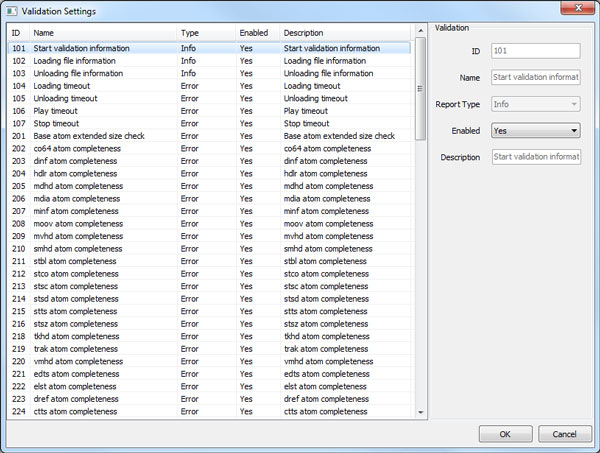
- QuickTime and MP4 based files validation


گالری تصاویر :

لینک دانلود
لینک های دانلود
رمز فایل فشرده : www.download.ir
رمز کپی شد!
نرم افزار AtomBox Studio Ultimate v3.1.8 Build 330
راهنمای نصب
- - ابتدا تمام پارت های نسخه مربوطه را دانلود کرده و سپس با استفاده از برنامهWinrar آنها را استخراج نمایید . (راهنمای اکسترکت کردن فایل ها)
- - اگر هنگام اکسترکت کردن فایل های زیپ شده با ارور هایی از قبیل CRC یا Password مواجع شدید می توانید با استفاده از این راهنما فایل ها را تعمیر کنید .
- - آنتی ویروس سیستم را خاموش کنید .
- - فایل نصب AtomBox Studio Ultimate_setup را اجرا کرده و مراحل نصب را کامل کنید .
- - محتوای پوشه fix را در محل نصب کپی و جایگزین کنید .
- Supported OS: Windows 7/8/10
- Processor: Pentium IV or higher
- RAM: 1 GB RAM (2 GB recommended)
- Free Hard Disk Space: 200 MB or more